
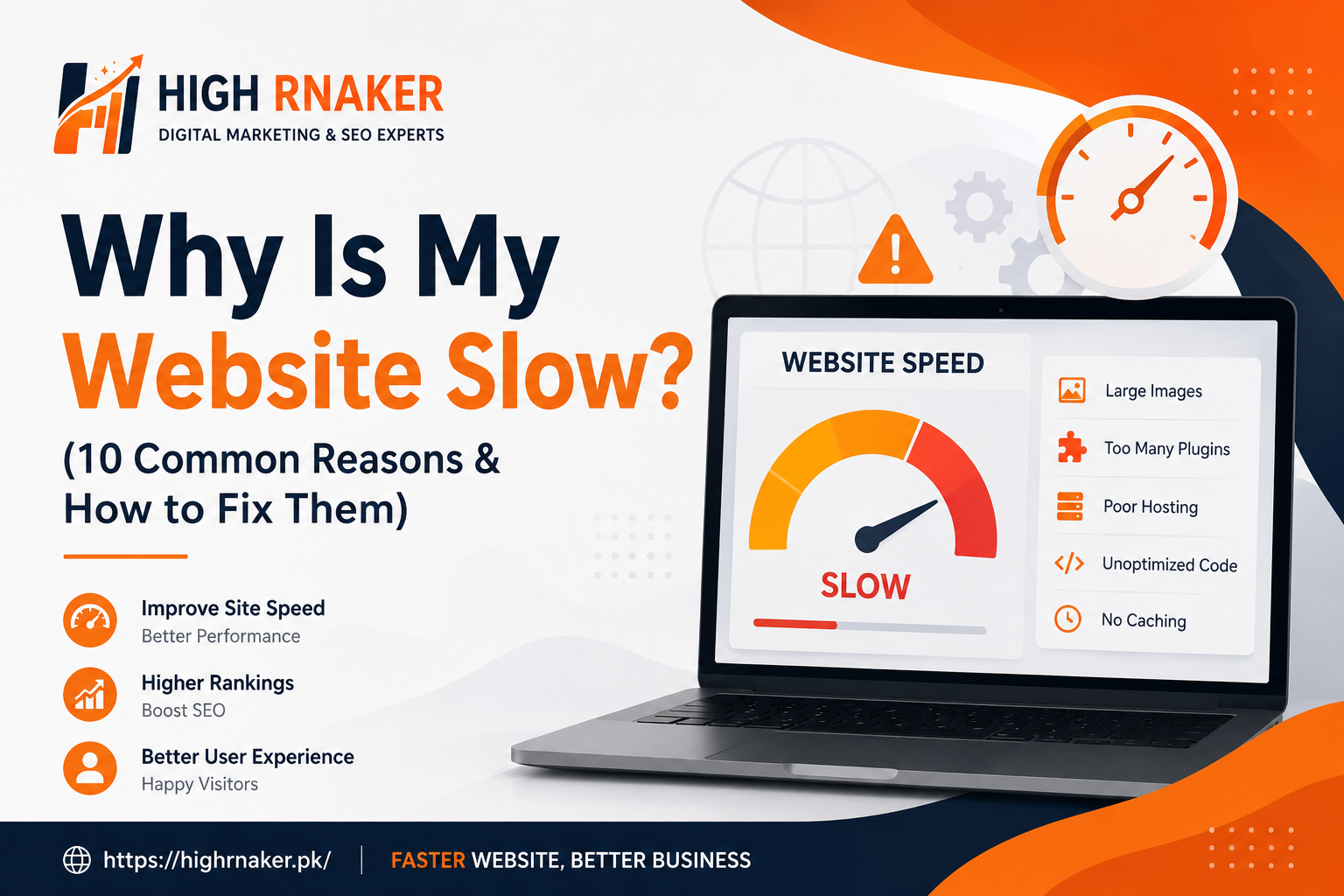
Why Is My Website Slow? (10 Common Reasons & How to Fix Them)
Website speed plays important role in user experience, search engine visibility and the online business performance. When an website takes too long to load, visitors may leave before page is eventually appears. Slow website can increase bounce rates, reduce conversions, frustrate users and make it more difficult for your business to compete online. Today we will discuss about Why Is My Website Slow and how to make speed up.
There are many possible reasons why an website becomes slow. Large images, excessive plugins, poor hosting, un-optimized code, third-party scripts and outdated software are just few common causes. The good news is that the most website speed problems can be identified and fixed with right optimization techniques.
Large and Unoptimized Images
Images are often one of biggest reasons websites which load slowly. High-resolution images are contain large amounts of data, especially when they are uploaded directly from cameras or design by software without optimization.
Large images are require more time and bandwidth to download, which can be significantly increases an page loading time, particularly for users on the mobile devices or slower internet connections.
How to Fix It?
Before uploading an images, resize them according to dimensions actually required on your website. Compress an images to reduce the size of file without significantly an affecting quality. Modern formats such as WebP and AVIF can provide smaller file sizes than traditional formats such as JPEG and PNG.
Visit Here: Professional SEO Services In Islamabad
Poor Web Hosting
Your hosting provider has an direct impact on website performance. Cheap and overcrowded hosting environments may place many websites on same server, causing resources to become an limited during periods of high traffic. If your server are takes too long to respond to requests even an well-optimized website can feel slow.
How to Fix It?
Choose an reliable hosting they provide with sufficient server resources for your website. Consider on upgrading your hosting plan if your website has grown in significant way. For businesses with an higher traffic requirements, VPS, dedicated or managed cloud hosting may be provide better performance than basic shared hosting. It is very useful to select an server location that is reasonably are close to your primary audience.
Too Many Plugins and Extensions Used
Plugins can add an useful functionality to website, but installing too many negatively affect performance. Some plugins are load additional CSS, JavaScript, database queries or external resources on every page. Poorly coded and outdated plugins are create even greater performance problems.
How to Fix It
Review your installed plugins that are regularly and are remove anything that is unnecessary. Avoid an using multiple plugins that perform are same function. Keep an essential plugins that are updated and replace an poorly maintained plugins with lightweight alternatives. If you are possible, test your website after installing an new plugin to determine whether it has an noticeable impact on loading speed.
Excessive JavaScript and has an CSS
JavaScript and CSS are control many aspects of modern website, but excessive and poorly optimized code can delay page rendering. Large JavaScript files are need to be downloaded, parsed and executed before certain parts of page become interactive. Similarly, unnecessary CSS are increase an amount of data browsers need to process.
How to Fix It
Minify CSS and JavaScript files are remove unnecessary spaces, comments and characters. Remove unused code which are possible and combine files when appropriate for your website’s setup.
You are defer non-critical JavaScript so it is essential page content loads first. Critical CSS is prioritized to help visible portion of page appear faster.
Lack of Browser Caching
When caching is not configured in correct way, returning visitors may need to download an same website resources repeatedly. This can increase loading times and place an unnecessary demands on your server. Browser caching are allows certain files, such as images, stylesheets and JavaScript to be stored temporarily on a visitor’s device.
How to Fix It
Configure appropriate browser that rules are static resources can be stored for suitable period. Content management systems are often provide an caching plugins or settings that make this easier. Server-side are caching and full-page caching can also reduce the amount of work required to generate pages for repeated visitors.
No Content Delivery Network (CDN)
Website hosted are a single server may take longer to load for visitors who geographically far away from that server. Content Delivery Network, or CDN solves this problem are distributing copies of static website resources are across multiple locations. When an visitor accesses your website, that resources are delivered from location closer to them.
How to Fix It
Consider by using an reputable CDN for images, CSS, JavaScript and other static files. CDN can reduce latency, improve page loading times for international visitors and reduce the amount of traffic that handled directly by your primary server. CDN can be useful for websites with visitors from different countries or regions.
Too Many HTTPs Requests
Every image, stylesheet, JavaScript file, font and other resource on page can require an separate browser request. Page containing an large number of resources may have take longer to load. While in modern browsers it can handle multiple requests efficiently, excessive resources can still affect performance.
How to Fix It
Reducees the number of unnecessary files and those resources that are get loaded. Remove unused plugins and scripts, optimize an images, reduce unnecessary fonts and avoid loading resources that are not required. Loading is only the resources needed for an particular page can make an website more efficient.
Poorly Optimized Database
Websites that rely only on databases can become slower as amount of stored information grows. Over time, databases may accumulate an unnecessary revisions, temporary data, spam comments, expired sessions and other information that is no longer needed. Poorly optimized an database queries, it can also increases server response time.
How to Fix It
Regularly maintaining and optimizing of database. Remove unnecessary data which can appropriate and review database-heavy plugins or applications. For larger websites, developers are analyze slow database queries and optimize the database tables and application code. Regular maintenance are helps to keep server-side operations efficient.
Too Many Third-Party Scripts
Third-party scripts are more commonly used for analytics, advertising, chat tools, social media widgets, tracking systems, maps, video embeds and other services. Although these all tools are provide valuable functionality, every external service can introduce additional requests and processing. If the several third-party scripts are load at same time, they can slow down page and sometimes cause delays outside your direct control.
How to Fix It
Review the third-party services running on your website and remove anything that is irrelavant and unnecessary. Load non-essential scripts asynchronously or defer to them when appropriate. Avoid adding an third-party tools simply because they are popular. Every script should have provide enough value to justify the potential performance impact.
How to Check Your Website Speed?
Before fixing an performance problems, it is important to measure an website current performance. Website speed testing tools are help to identify issues affecting an loading time and provide recommendations for improvement.
Test on important pages that are individually rather than checking only your homepage. Your blog posts, product pages, service pages and checkout pages that may have completely different performance issues.
Why Website Speed Matters in SEO and Conversions?
Website speed is more important because users can expect websites to respond quickly. A slow page can create frustration and increase likelihood that visitors will leave before to complete an action.
Performance can also affect how much search engines evaluate an overall page experience. Improving the speed can therefore support both user satisfaction and SEO efforts.
For businesses, faster websites that can contribute to better engagement, more completed forms, more purchases and improved customer experiences. Must Speed should therefore be considered as an important part of both technical SEO and conversion optimization.
Conclusion: Why Is My Website Slow
If you are wondering “Why is my website slow?”, there may have an several factors responsible. Large images, poor hosting, excessive plugins, unoptimized CSS and JavaScript, they are missing caching, lack of CDN, too many HTTP requests, database problems, third-party scripts and inefficient code are among the most common causes. Website which has good speed optimization is not one-time task. As you add new content, features, plugins and tracking tools, performance it can change over time.